Shops & services
Bring photos, menus, access information and useful answers together in one place.
CREATE A PLACE THAT FEELS LIKE YOU
Lumitoha Website Builder
A home for your shop, your work or your words. Choose a finished design, then make it yours with photos and text. A website builder for Windows, with a free core.
For Windows Free download In-app purchases
Microsoft Store release in preparation
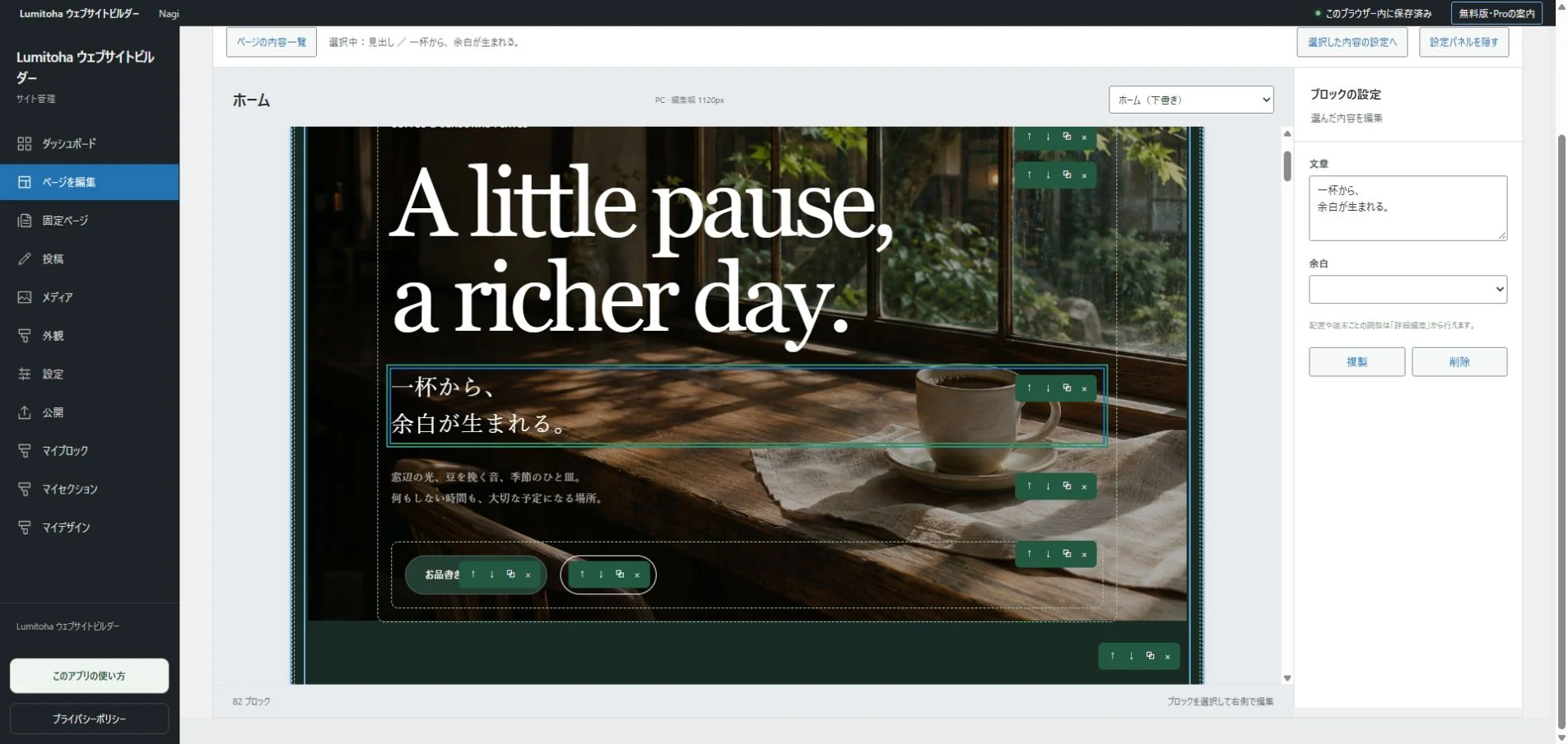
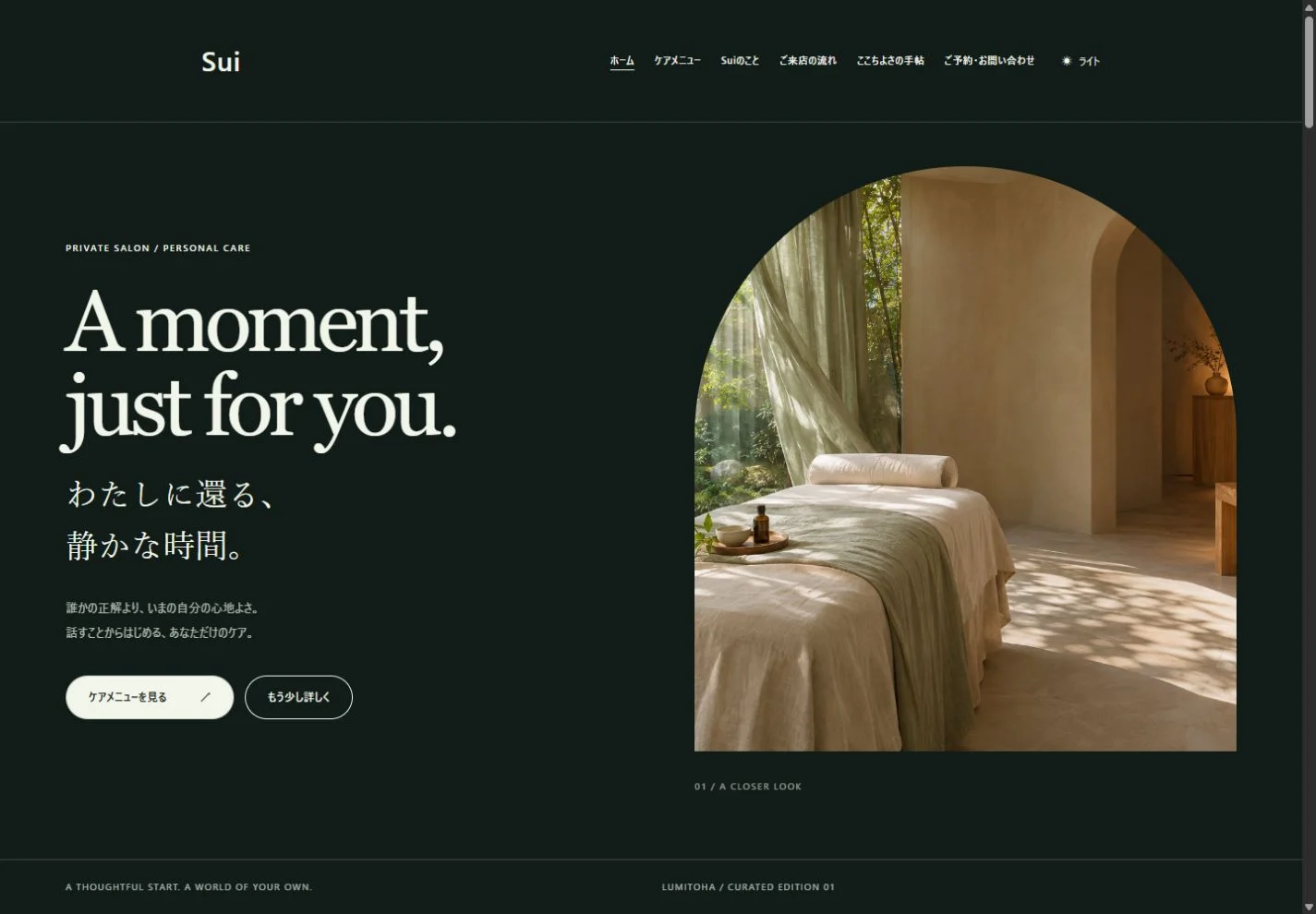
Development screenshots; Japanese UI shown. Websites are fictional samples.
01 Begin with a considered design.
02 Make the photos, copy and layout your own. Handle everyday updates yourself to reduce outsourcing costs.
03 The essentials are free to use.
DESIGN COLLECTION
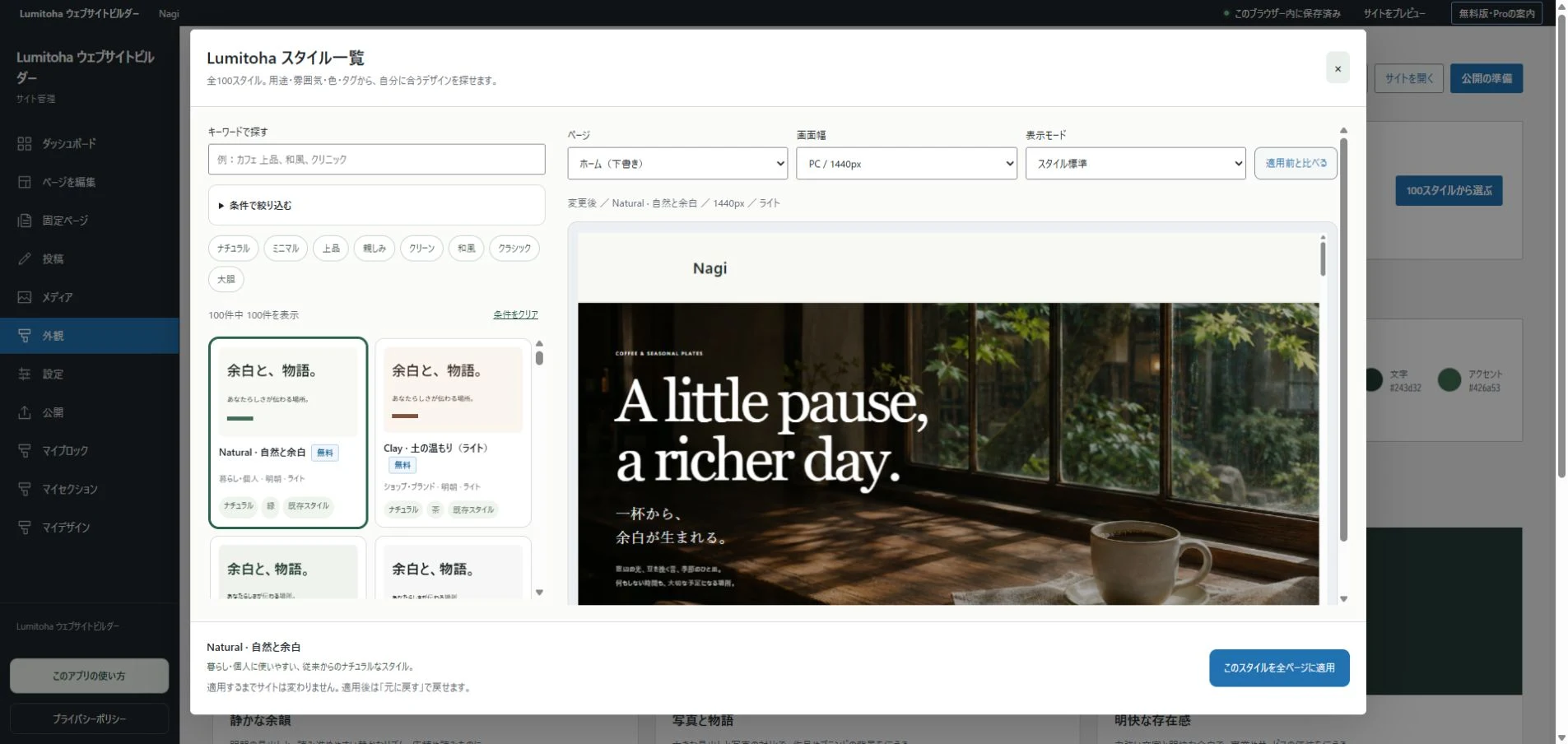
A café, a portfolio, a place for your stories. Explore 13 finished designs and 100 style sets. Bring your own photos and words to an already considered layout.
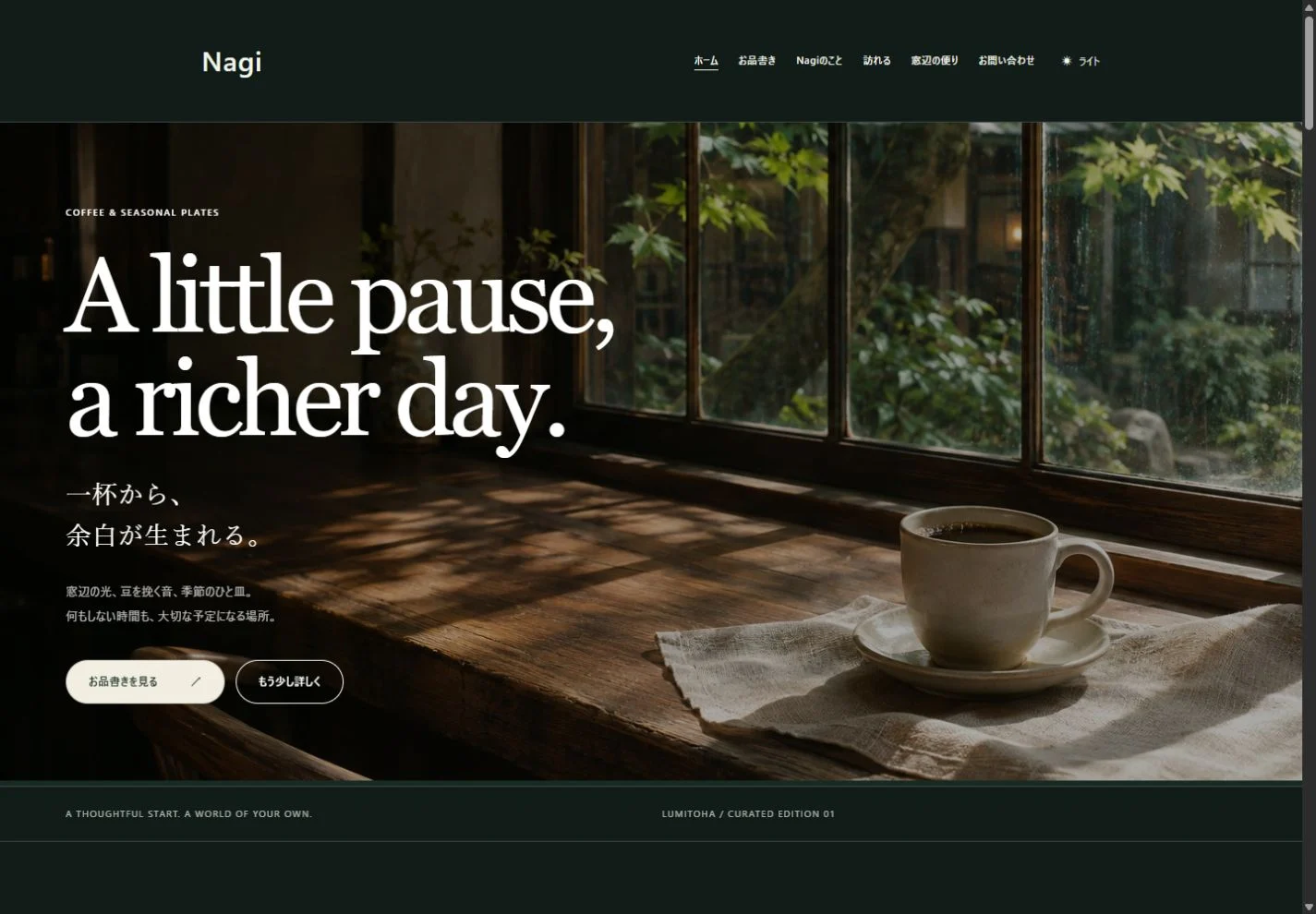
Photos and generous type, with a quiet sense of time.
Cafés & shops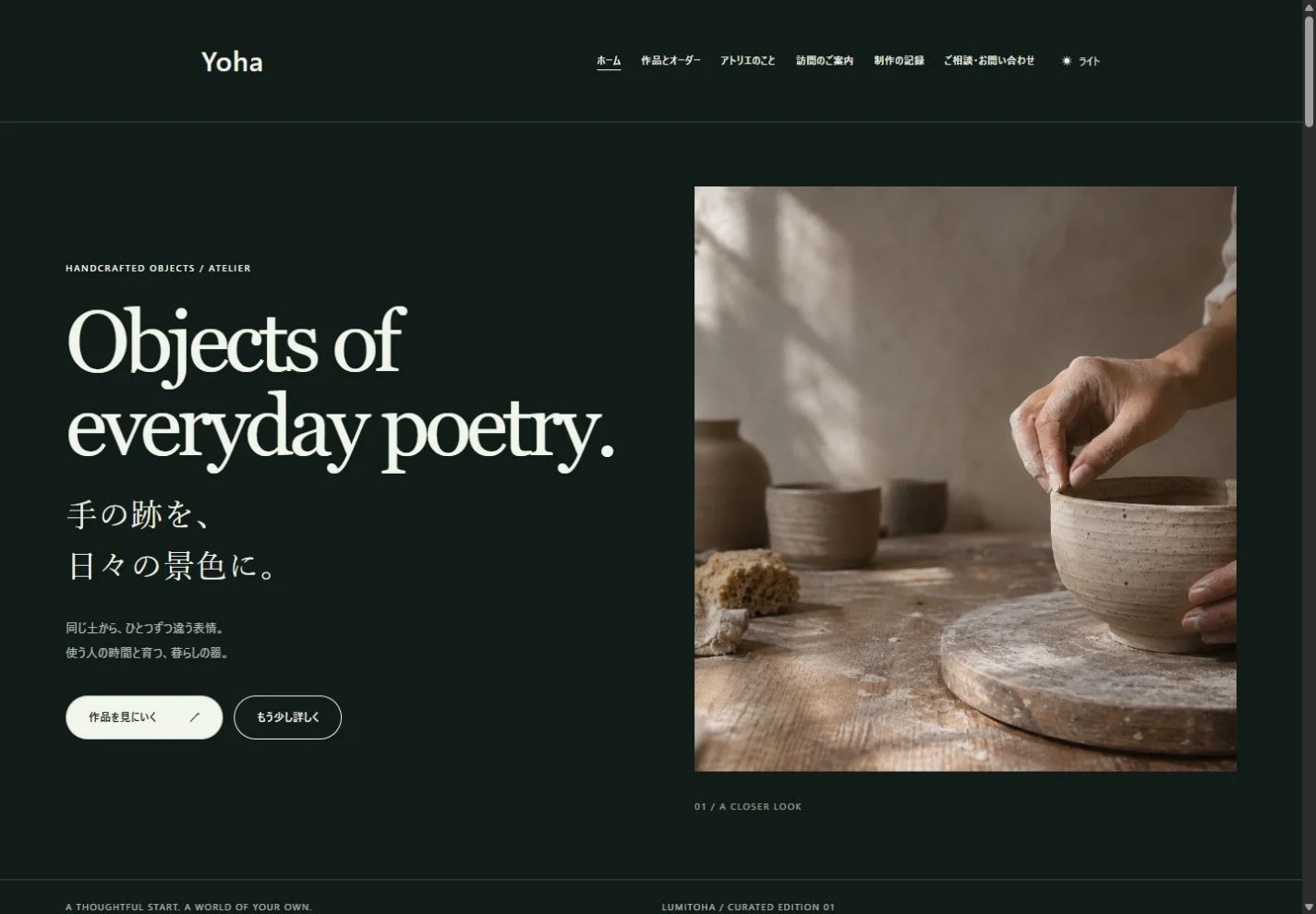
Thoughtful space for the texture of objects and creative work.
Galleries & everyday lifeSoft color and arched images for a welcoming first impression.
Gentle brands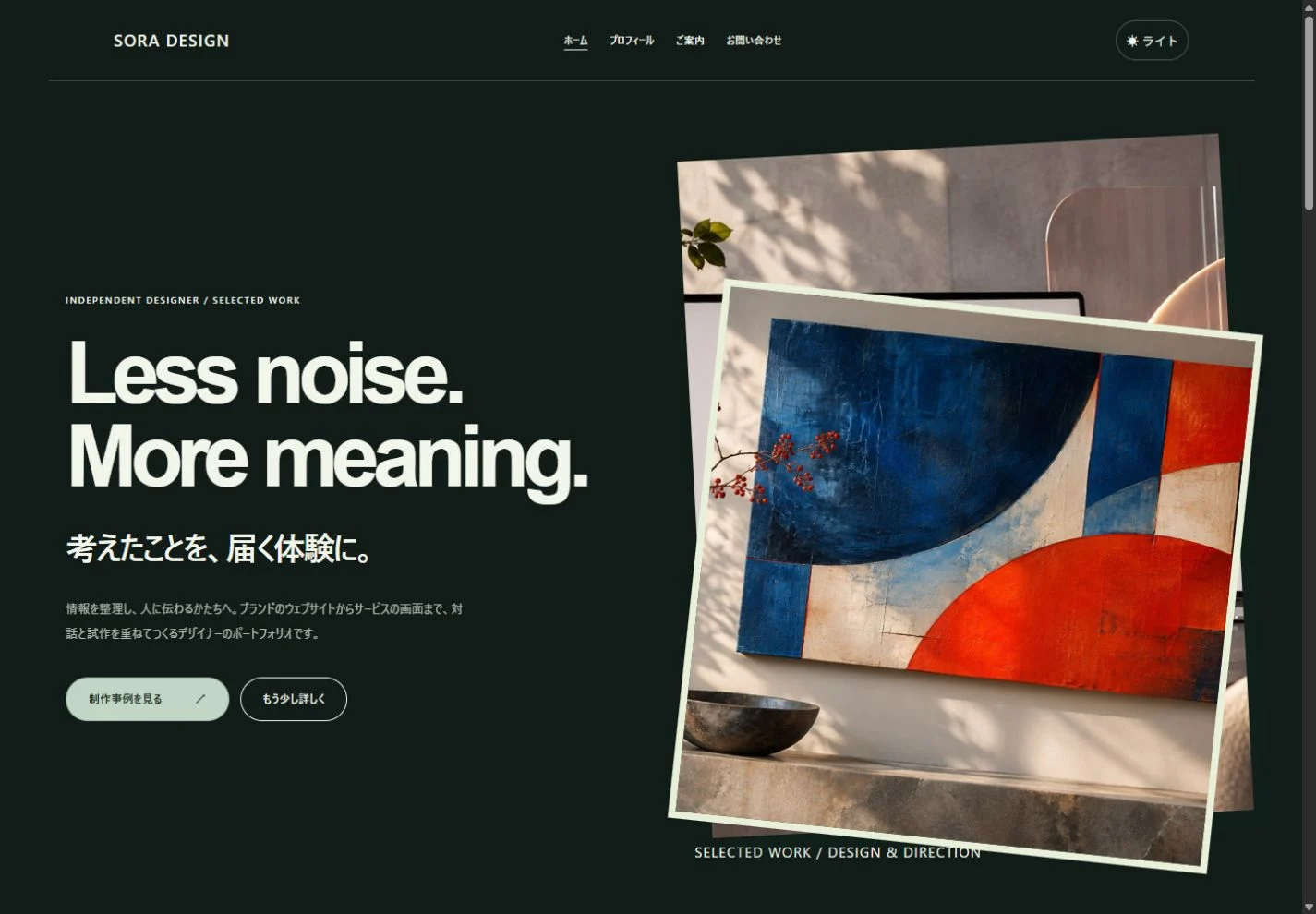
Bold type and asymmetric images for distinctive work.
Portfolio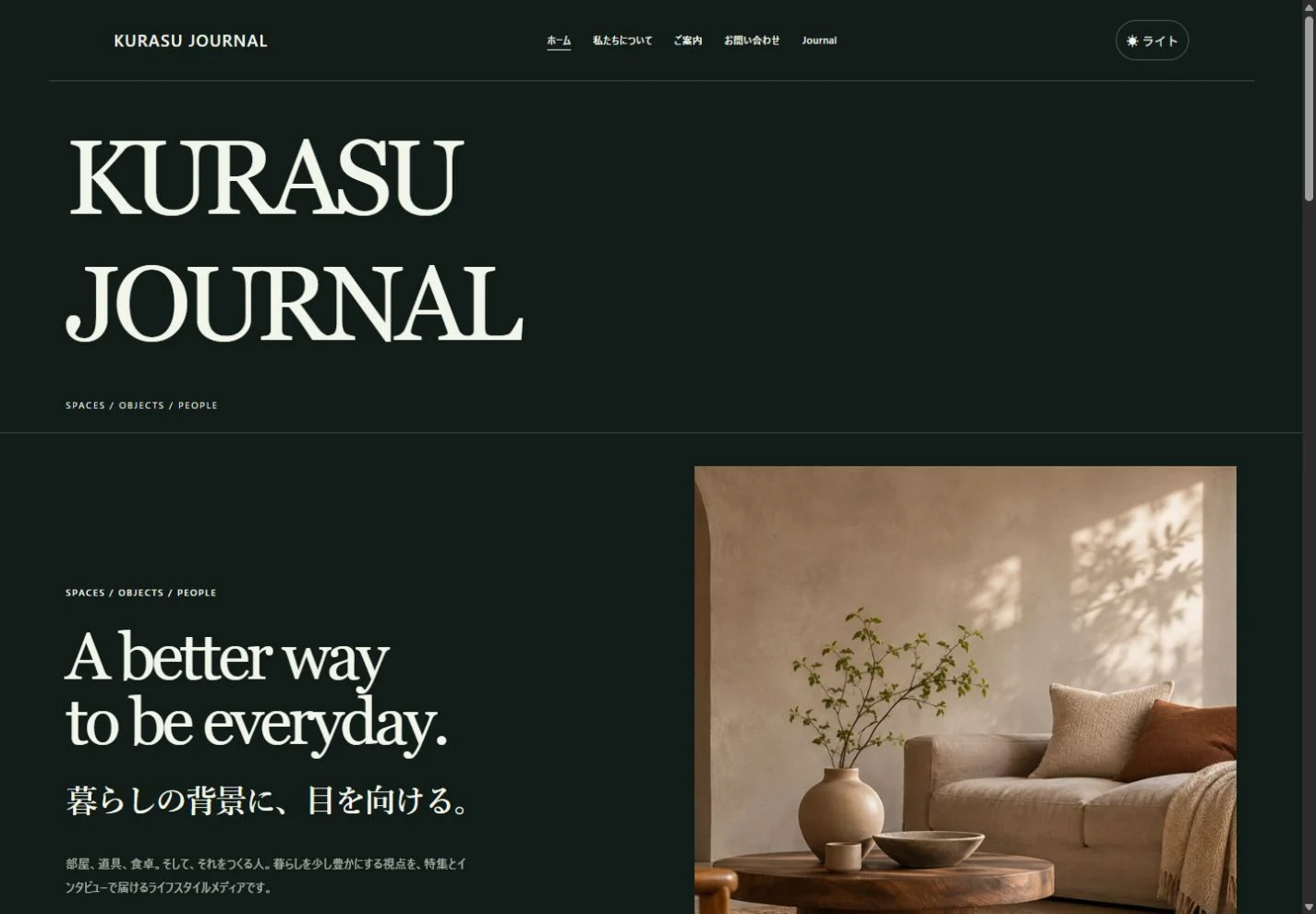
Photos and stories arranged with an editorial feel.
Journal & media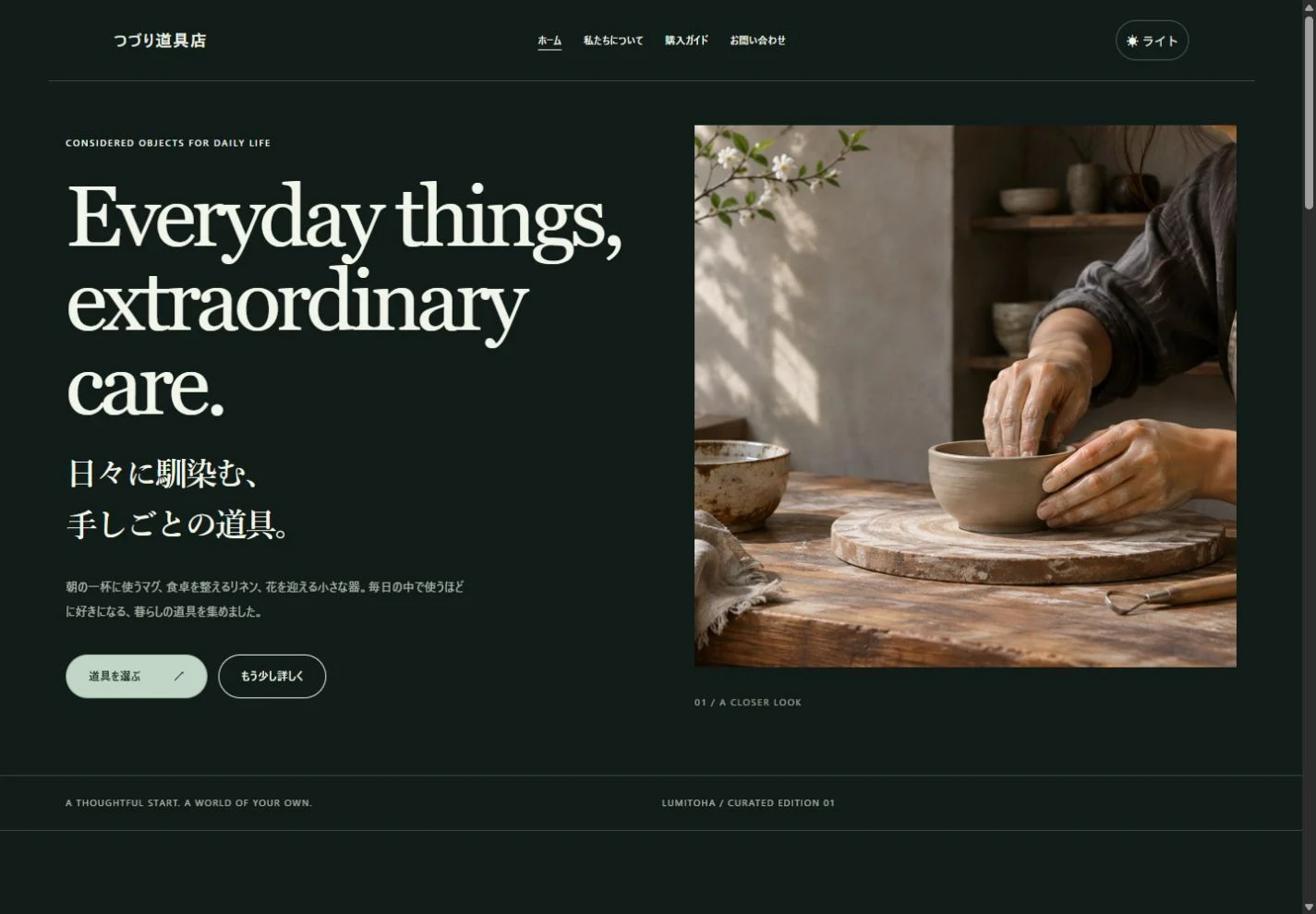
A considered introduction to carefully made objects.
Objects & productsSelect an image to enlarge it. These are fictional sample websites, not real businesses or customer projects.
Preview every design for free in the app. Nagi is free to use; other finished designs are available with Pro.
For the things you make, the work you do and the stories you keep.
Bring photos, menus, access information and useful answers together in one place.
Let your work speak, with thoughtful space for images, background and your own profile.
Create articles, cover images, categories and tags, and grow your site a little at a time.
Start with a finished design and replace its words and photos with your own. Edit blocks as you refine each page. Save editable JSON so you can return to your work and keep growing your site.
Explore the featuresFreeFree download
Everything you need to begin editing, saving and exporting a small website.
More room to create
In-app purchaseAdditional features
More design choices and tools for work you do repeatedly. Pricing is shown in the app.
Core features are free. Check the in-app Microsoft Store purchase screen for Pro pricing and terms. Hosting and domain fees may apply separately.
YOUR FIRST WEBSITE
Preview the finished designs and find a mood that fits. You can start with Nagi for free.
Replace the text and photos, then add the blocks your content needs.
Check layouts and links, export the files and upload them to your hosting service.
Lumitoha is a website builder for Windows. Choose a finished design, edit text, photos and blocks, and create a shop website, portfolio or blog without writing code for the basic editing workflow. Export HTML or a ZIP, then upload the files to a hosting service of your choice.
The free core includes basic editing, pages and blog posts, photos and supported embeds, JSON save and load, previews, pre-publication checks, and HTML/ZIP export. You can use the Nagi design for free and preview every finished design.
Pro adds designs such as Yoha and Sui, additional templates, sections and styles, Pro blocks, reusable personal designs and components, and bulk editing for pages and posts. Check the in-app Microsoft Store purchase screen for pricing and purchase terms.
Yes. The app supports Japanese and English. It starts in Japanese when the Windows display language is Japanese, and in English otherwise. Newly created finished samples also use English in an English environment. Opening an existing site does not automatically translate or overwrite your saved text.
We are preparing a free release on Microsoft Store. The product-page link will be published on our Get Lumitoha page when it is available. Core features are free; additional features are offered through in-app purchases.
You need a hosting service for the exported HTML and assets. Extract the ZIP and upload the files using your hosting provider’s dashboard or a separate transfer tool. Hosting and domain fees are separate from the app. The current app does not upload directly to a server.
Practical notes on choosing a design, working with photos and getting ready to publish.
Choose representative projects and explain their purpose, images, your role and decisions, with a clear next step for interested visitors.
Combine atmosphere with useful information about products, hours, access and working contact routes, from a first-time visitor’s perspective.
Understand the free core, design previews and Pro’s extra tools, then decide using the work your own website actually needs.